Getting started with Ancilo
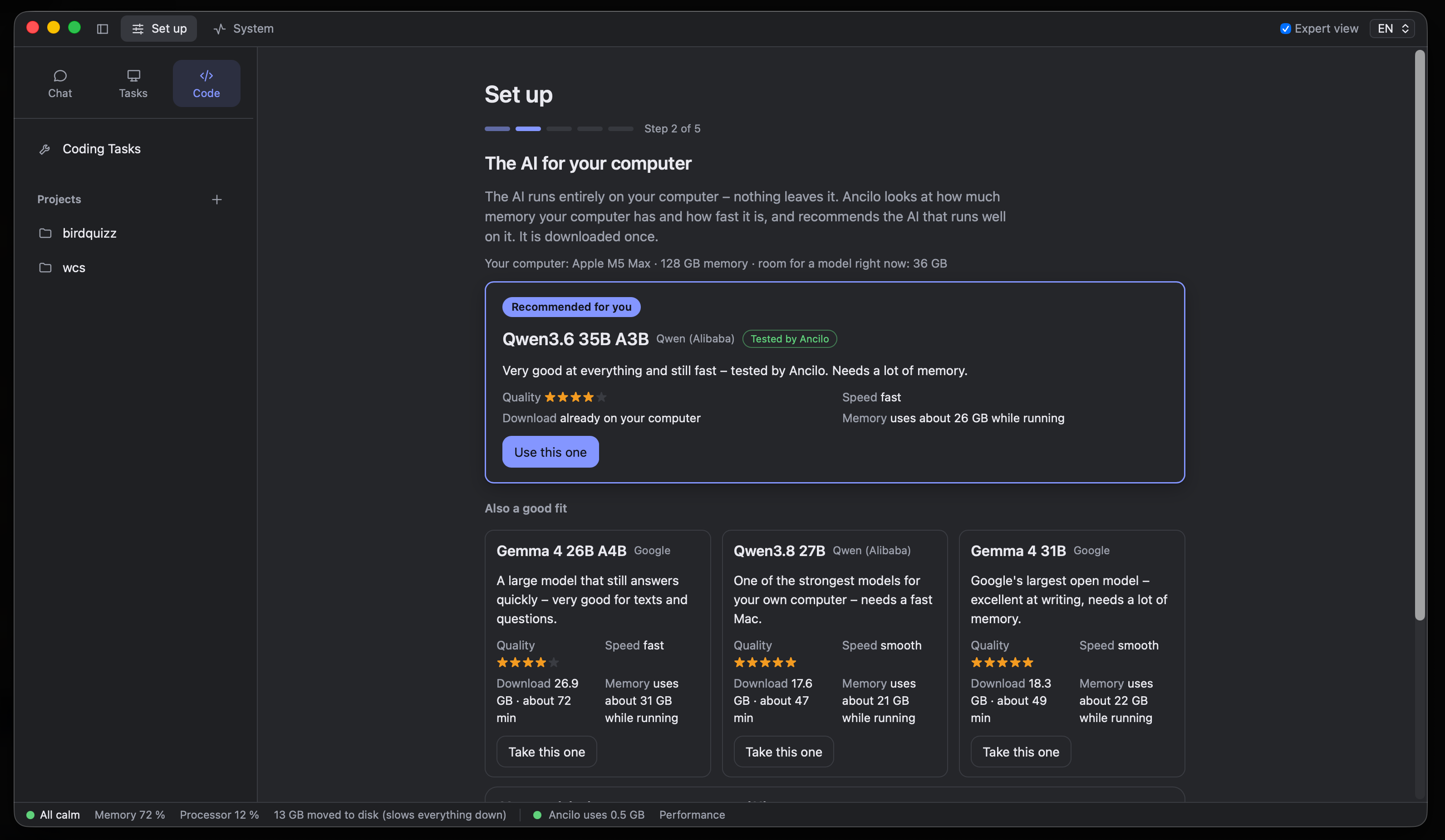
Setup guides you through choosing and downloading a model. You do not need to know model names or set up your own server.
System requirements
Ancilo currently runs on Macs with Apple Silicon (M1 or newer) and macOS 13 Ventura or newer. Small models can run with 8 GB of memory; 16 GB or more gives you more choice. A Linux version is planned.
Models need disk space and an initial download, often several gigabytes. Size and download time depend on the model and your connection. Once downloaded, local models work without internet.
Install the app
Download the current version, open the DMG file and drag Ancilo into Applications. The app is signed for macOS and notarized by Apple. Open it from Applications.
Download for MacChoose and download a model
Ancilo checks your computer and recommends a suitable model. Choose the recommendation or an alternative and download it. You can then ask your first question in Chat.
Smaller models use less memory but are less capable. Speed and answer quality depend on the model and your computer. You can try other models later.
Leave room for other apps
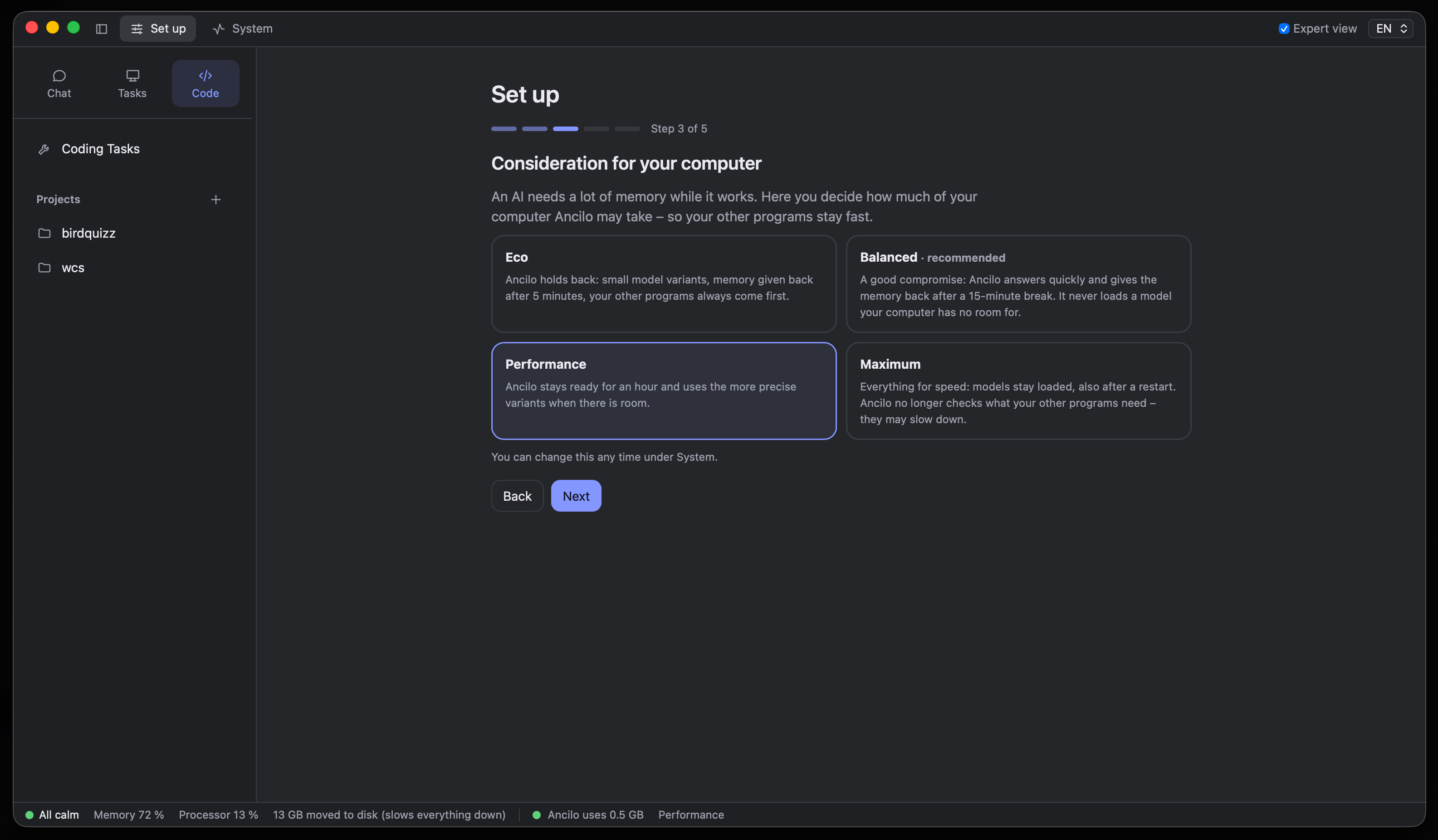
Balanced is the recommended starting point. The resource profile controls how much memory and processing power Ancilo may use. The status bar shows current usage.
- Eco releases memory sooner and prioritises other apps.
- Balanced keeps the model ready for a while and releases memory after a break.
- Performance keeps models ready longer and uses more precise variants when there is room.
- Maximum prioritises speed. Other apps may slow down.
More models and costs
Ancilo is free and open source. Local models incur no per-request fees. Optional cloud models and Google search through Serper may have their own charges.
Experienced users can add local GGUF files, Hugging Face models or local OpenAI-compatible services such as Ollama and LM Studio. Which models run well depends on the computer and available memory.