Chat
Ask, write, translate, summarise. The answers come from an open model running on your Mac with llama.cpp – Qwen, Gemma or gpt-oss. Chats are kept on your computer.
Not as powerful as Claude. Not as fast as ChatGPT. But it’s yours.
For everyone. No technical expertise needed.

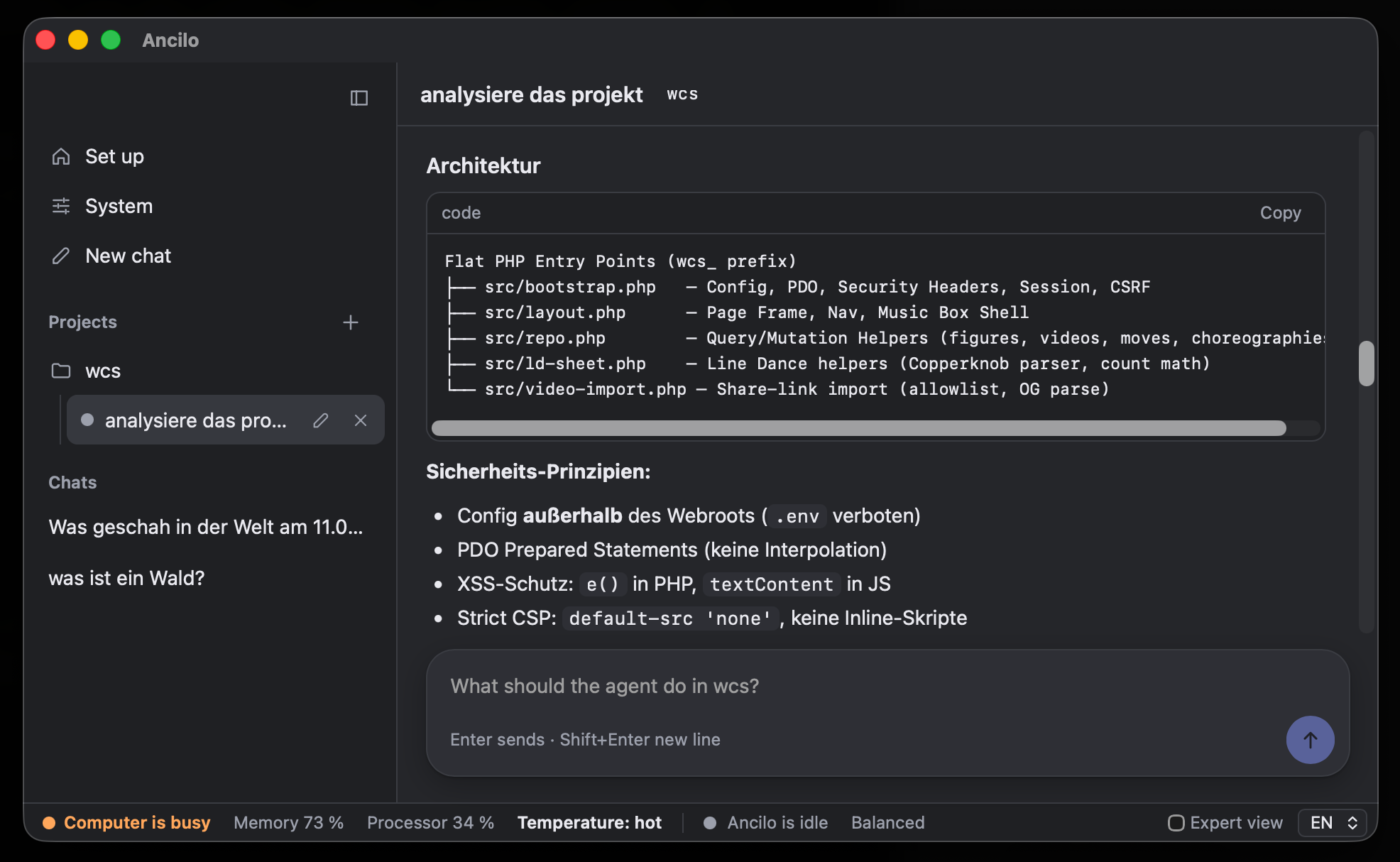
Free and open source · Version 0.1.0 · Macs with Apple Silicon, macOS 13 or newer. Linux is planned.
Your computer does the work. No AI provider charging you for every message.
With local models, your conversations and document content are never sent to an AI provider.
How it works
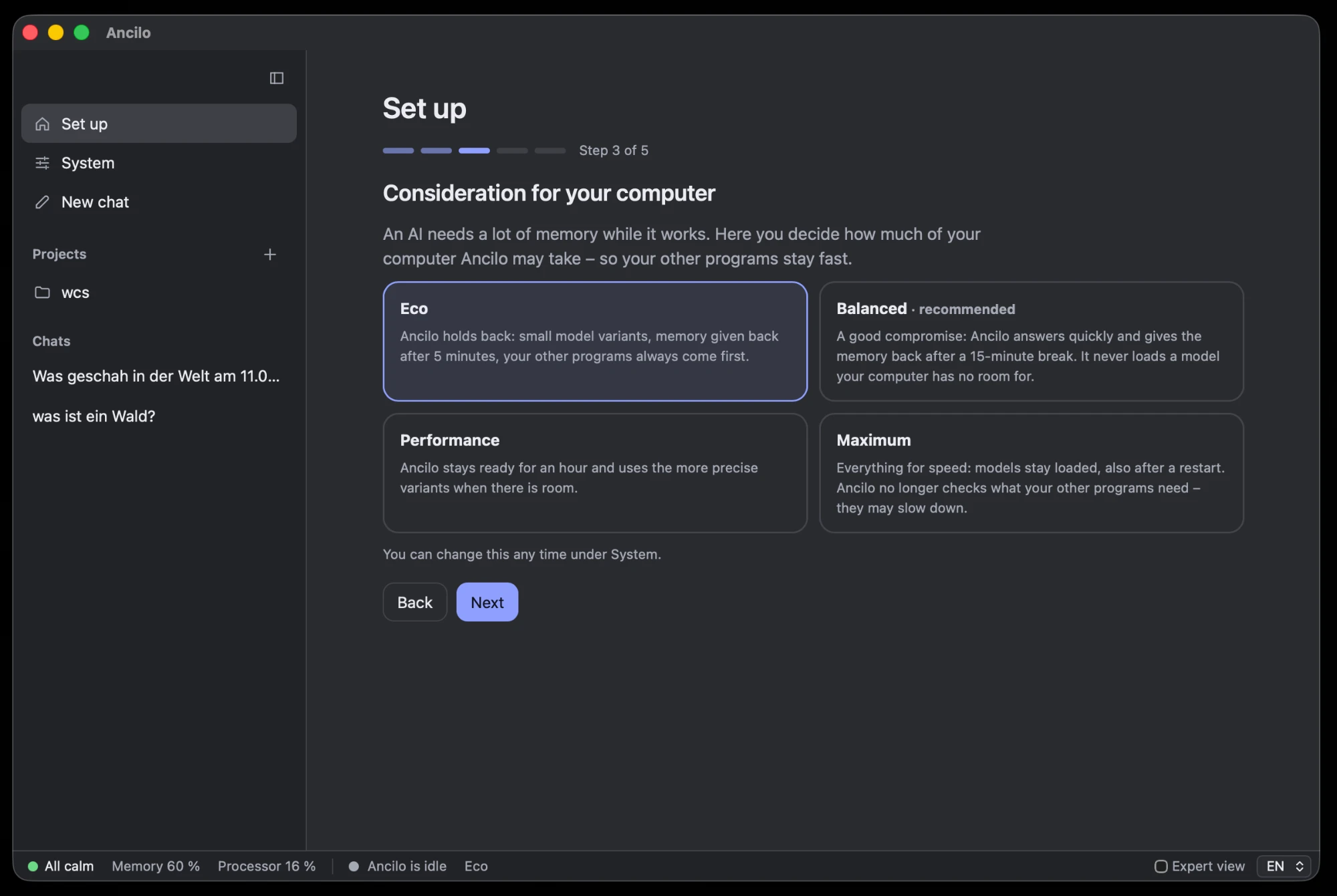
The setup asks what you want to use Ancilo for, recommends a model that fits your Mac’s memory and loads it with one click. Then you decide how much of your computer Ancilo may take – here, in step 3 – and whether Claude Code and Codex may hand it work.
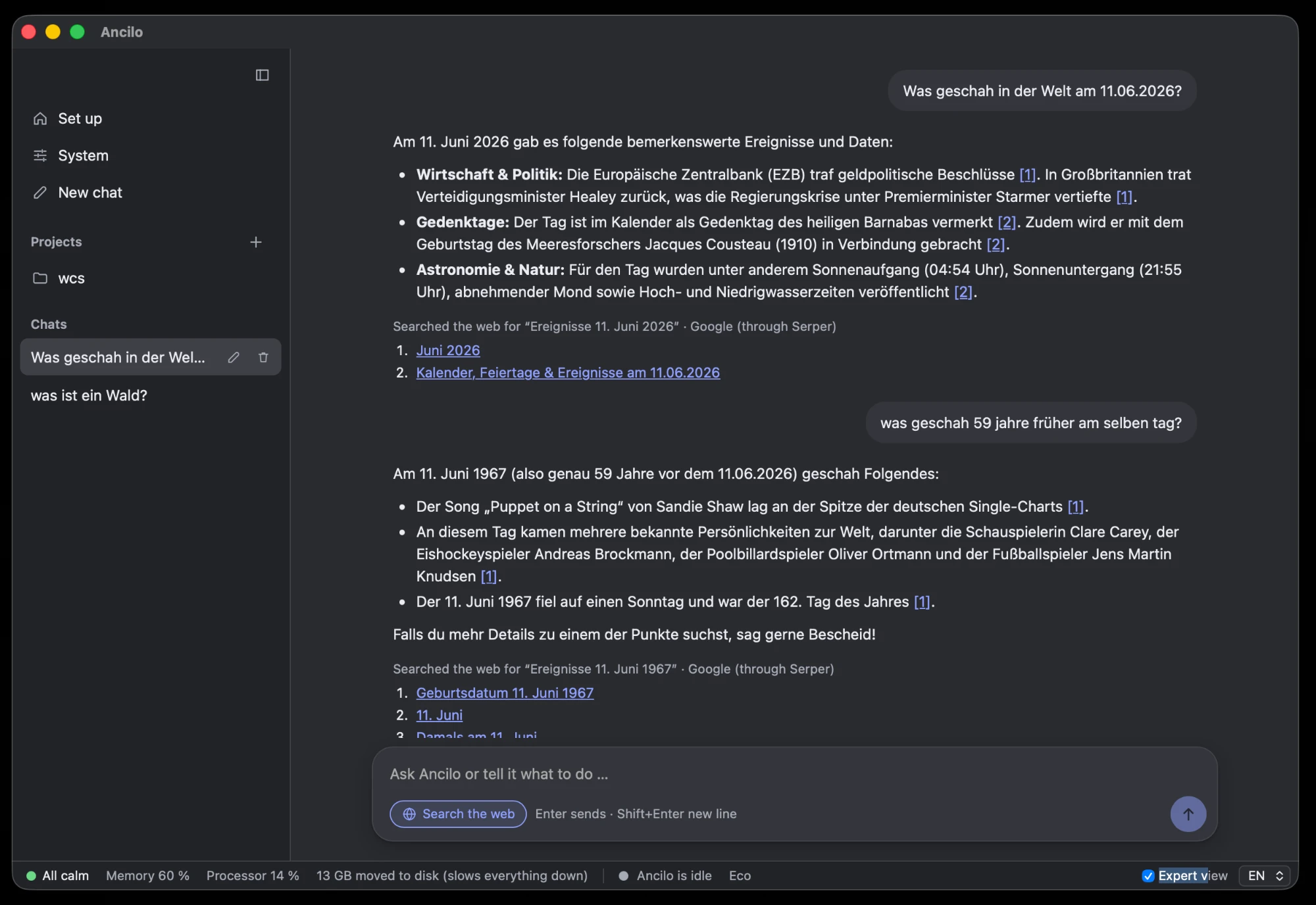
Ask in your own words. With web search turned on, Ancilo looks things up and names its sources: the search query and the pages are listed under the answer, and [1] or [2] lead to them. Without web search, nothing leaves your Mac.
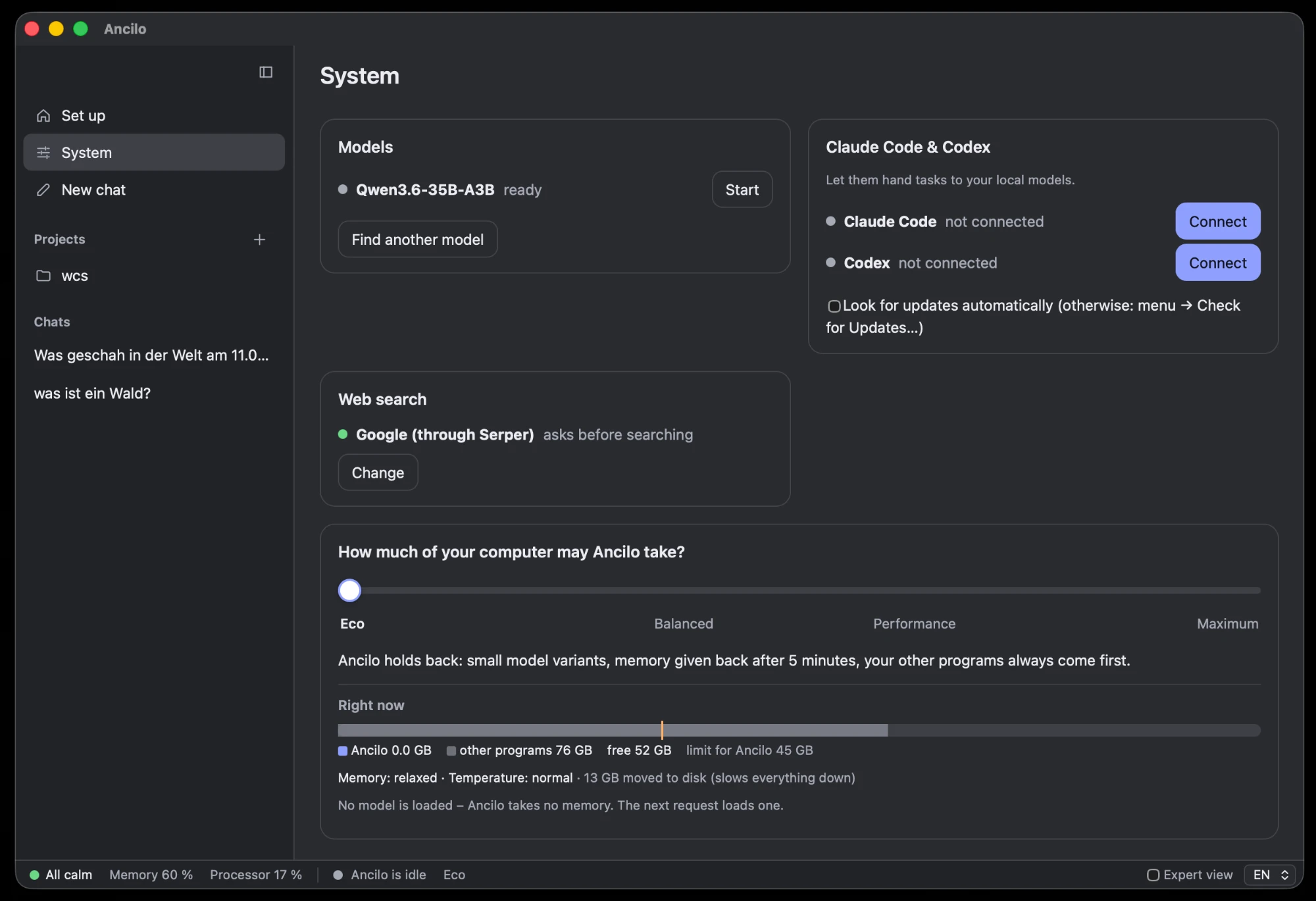
The System page shows your models, whether Claude Code and Codex are connected, the web search setting and how much memory Ancilo and your other programs use right now. The status bar at the bottom shows the same at a glance.
What Ancilo does
Ask, write, translate, summarise. The answers come from an open model running on your Mac with llama.cpp – Qwen, Gemma or gpt-oss. Chats are kept on your computer.
Ancilo checks your Mac’s memory and recommends one model that fits – from under 1 GB to over 30 GB. One click downloads it from Hugging Face and starts it.
Choose a folder, and chats can draw on its text files and name the file they used. PDF and Word are not supported yet.
Off by default. Wikipedia without an account, or Google through Serper with your own key. Ancilo shows the search query before anything goes out and lists its sources.
Describe a change to a project. The agent works on a copy, shows what it changed, and you keep or undo it.
An OpenAI- and Anthropic-compatible API on 127.0.0.1. Claude Code and Codex can hand routine tasks to the local model through MCP.
One setting from Eco to Maximum limits memory and processor use. Ancilo unloads idle models, backs off when memory runs short or the Mac gets hot, and shows how your Mac is doing in a status bar.
What to expect
Your chats, documents and projects, and everything the model reads and writes.
Model downloads and searches (Hugging Face), the current model list (GitHub), web search if you turn it on, update checks on click or if you allow them, and cloud models only if you set one up – never your code.
No telemetry, no analytics, no crash reports.
No. The setup asks what you want to do, recommends a model and loads it. You don’t need to know model names or run a server.
8 GB works with small models; 16 GB or more is comfortable. Ancilo only loads a model into memory that is actually free, so other apps keep running.
Ancilo is free and open source. Local models cost nothing per request. Optional cloud models and Serper charge their own fees.
Macs with Apple Silicon (M1 or newer) and macOS 13 Ventura or newer. A Linux version is planned.
Yes. Ancilo finds models you already have in LM Studio, Ollama or the Hugging Face cache, and you can add any GGUF model from Hugging Face.
Right here: version 0.1.0. The source code is on GitHub under the Apache 2.0 license.
Get Ancilo
Free and open source. Signed and notarized by Apple – your Mac opens it without warnings.
Download for MacOpen source
The code, the issue tracker and every release are public. Ancilo is built by Stefan Grunert. Bug reports and ideas are welcome.
Ancilo on GitHub